
This release focuses on two practical improvements that help you get set up faster and keep your data cleaner across the platform:
- A new Account Setup area to guide users through the most important configuration steps for their role and enabled features.
- Address Search (powered by Radar) across the platform to speed up address entry and reduce manual errors.
New: Account Setup (role-based setup checklist)
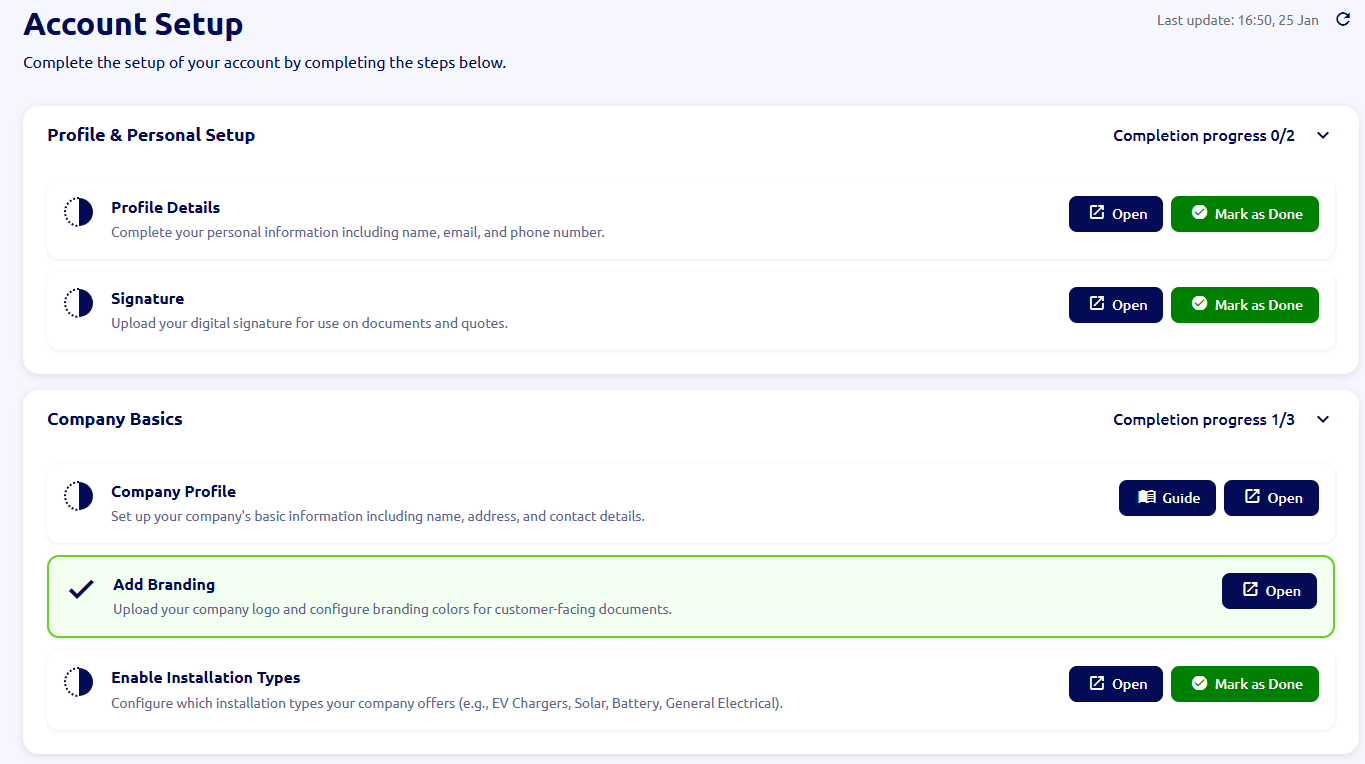
We’ve added a new section called Account Setup to help you ensure your account is configured properly and you’re using the installHUB features that are relevant to your business and permissions.
Where to find it
- Dashboard → Account Setup
- The menu item includes a count of incomplete tasks, so you can quickly see what’s left to do.
How it works
Account Setup displays a checklist of tasks that are dynamically shown based on conditions such as:
- Your role / permissions (only tasks you’re allowed to complete will be shown)
- Your company’s enabled features (tasks appear only when the relevant feature is enabled)
Some tasks are Account Manager-only. In these cases:
- Only one account manager needs to complete the task.
- Other account managers will see the task as completed once any account manager has completed it.
Automatic task completion
Tasks are marked as completed automatically when you perform the relevant action in the platform (for example, saving required settings, completing a profile step, enabling a feature, etc.). This keeps the checklist accurate without requiring manual tick-box actions.
Built-in guides (where available)
Some tasks include a Guide button:
- Clicking Guide opens the User Guide popup with the relevant article pre-loaded.
- Clicking Open takes you directly to the relevant page in installHUB to complete the task (in the same tab, not a new one).
Unique setup per user
Each user has their own Account Setup flow that reflects their role. For example, an Admin may see tasks such as completing Profile Details or adding a Signature (where applicable), while other roles will see tasks relevant to what they need to do in installHUB.
Improvement: Address Search on all address forms
We’ve added Address Search across installHUB anywhere you enter or edit an address. This makes address entry faster, more consistent, and reduces errors caused by manual typing.
What’s changed
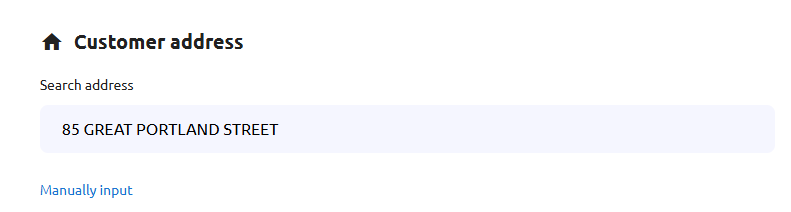
- You’ll now see an Address Search box at the top of address sections.
- Start typing an address and you’ll get a list of matching suggestions.
- Select the correct address and installHUB will automatically fill the address fields for you.
How this helps your workflow
- Save time on every job: fewer fields to type and less back-and-forth editing.
- Fewer mistakes: reduces typos and incomplete addresses that can cause issues later.
- Cleaner records: consistent addresses improve downstream processes such as quotes, appointments, invoices, and customer communications.
First-time address entry is simpler
When you’re adding an address for the first time:
- installHUB will initially show only the Address Search box to keep things quick and uncluttered.
- After you select an address, the full address details will appear already populated.
Prefer to type it yourself?
If you need to enter a custom address, you can click “Manually input” to reveal the full address form and type it in yourself.
