
We’ve shipped two big improvements to help you communicate with customers faster and manage your team’s workload more efficiently:
- SMS Messaging – keep customers in the loop at every stage of the job.
- Scheduler – see your team’s capacity at a glance and book more work with confidence.
📲 SMS Messaging – Keep Customers Engaged at Every Step
You can now send SMS messages directly from installHUB at key points throughout the customer journey. No more copying and pasting text into your phone, and no more missed emails sat in spam folders.
What you can send by SMS
Use SMS to send quick, high-impact messages for:
- Customer enquiry form links
- Quotations
- Appointment confirmations and reminders
- Payment links and payment reminders
- Customer packs (handover/completion info)
Goal: Make it effortless for customers to respond, confirm, and pay — without you having to chase.
Why this is powerful for your business
- ✅ Higher response rates – SMS is opened and read far more than email, so customers are more likely to respond quickly.
- ✅ Fewer no-shows – Appointment reminders reduce missed visits and wasted travel time.
- ✅ Faster payments – Sending payment links via SMS can help you get paid sooner.
- ✅ Less admin – Your team spends less time chasing customers and more time completing jobs.
How pricing works
- Each SMS message costs just 6p for the UK and varies for other countries. To see full pricing per country, see the SMS Settings page.
- You’ll have full visibility of your SMS usage and costs from your installHUB subscription/billing page.
You’re always in control: enable or pause SMS at any time, and track exactly what you’re spending.
Where to enable and manage SMS
You can enable SMS Messaging from your account settings.
- Enable SMS via:
👉 SMS Settings page - Monitor usage & costs via:
👉 Subscription/Billing page
How can enabling SMS help you today?
Enable SMS in your account to send:
- An appointment confirmation SMS as soon as a date is booked.
- A reminder SMS 24 hours before the visit.
- A payment link SMS when the payment request is created.
Start using SMS Messaging in your installHUB account today and turn more enquiries into booked, completed, and paid jobs with less effort.
📅 New Scheduler – Plan Your Team’s Work Like a Pro
We’ve introduced a brand new Scheduler to help you manage your operatives and their workloads in one clear view. No more juggling spreadsheets, calendars, and guesswork.
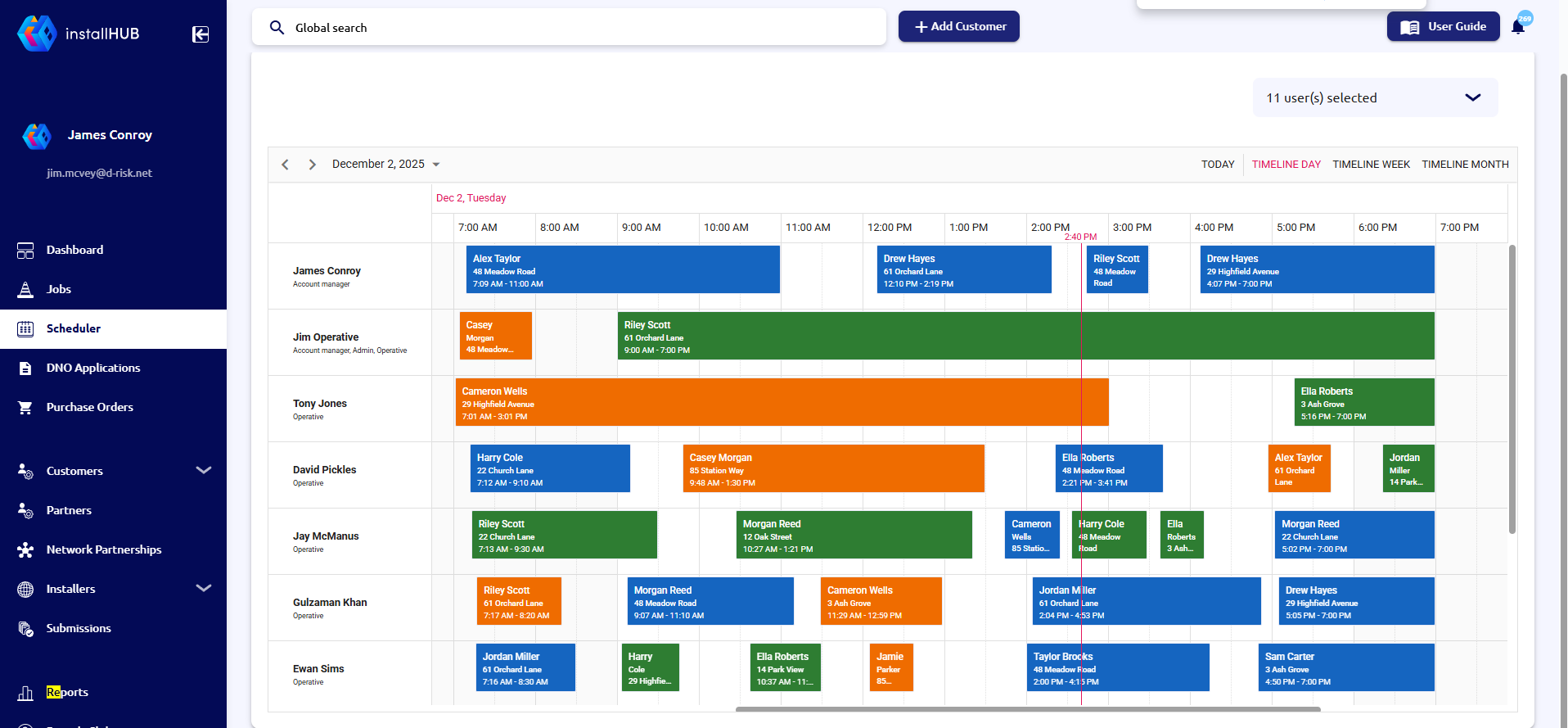
What the Scheduler helps you do
- 👀 See who’s busy and who has capacity at a glance
- 🗓️ View workloads by day, week, or month
- 👷 Assign and adjust appointments across your operatives
- 🚫 Avoid overbooking and clashes
- 📈 Optimise your team’s capacity so you can take on more work with confidence
Key benefits for your operations
- Better planning – Know exactly how much work your team can handle each day.
- Faster scheduling – Quickly place new jobs into the calendar with confidence.
- Happier operatives – Give your team a clear view of their day and reduce last-minute changes.
- More revenue – Fill gaps in the schedule and make sure your best-fit operatives are always out on the right jobs.
Where to find the Scheduler
You can access the Scheduler directly from your main navigation.
- Open the Scheduler here:
👉 Scheduler page
Creating a new appointment
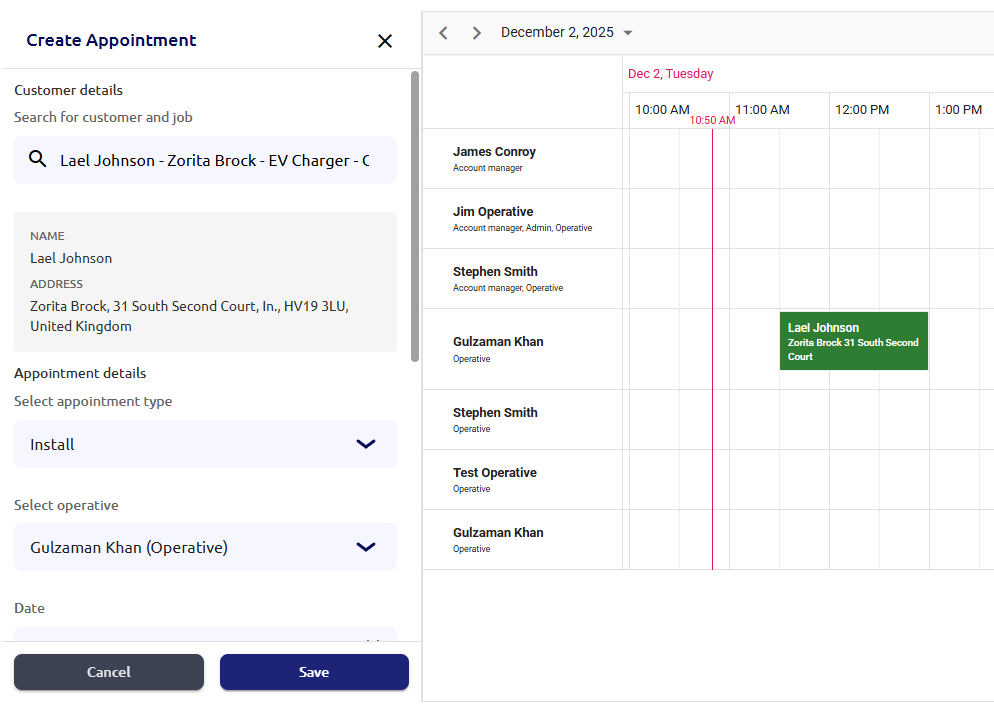
Appointment details
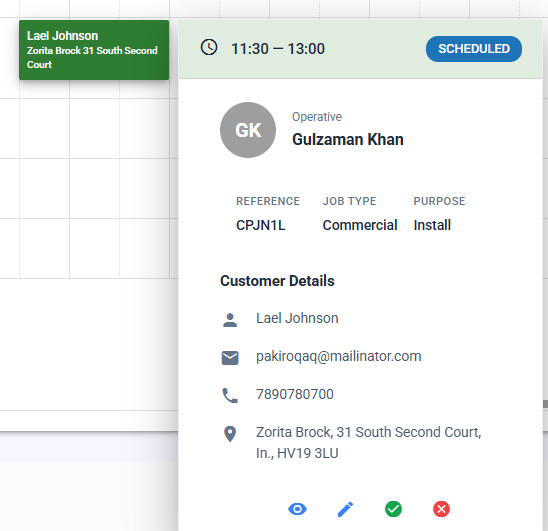
Ideas for how to use the Scheduler
You can:
- Build out next week’s schedule and fill remaining gaps with smaller jobs.
- Check which operative has room for an urgent job today or tomorrow.
- Look at the month view to plan around holidays, busy periods, and big projects.
✅ Getting Started
Here’s a simple way to roll these features out to your team this week:
- Enable SMS Messaging in your account
- Open the Scheduler and switch to Week view
- Review your upcoming jobs and fill gaps
- Make sure each operative has a balanced workload and that high-priority jobs are covered.
- Share a quick update with your team
- Let them know you’ll be using the Scheduler as the “single source of truth” for their daily work, and that customers may now receive SMS updates.
